A Nitro Pro license activation key is a special code that lets you unlock the full version of Nitro Pro. Without this key, you can only use limited features in the trial version. Once you enter the key, the software becomes fully active and gives you access to all the premium tools like editing, converting, merging, signing PDFs, and more.
When you enter the key, Nitro verifies it (online or via license portal), triggering NitroPro PDF activation. Once validated, all premium capabilities become available, including editing, converting, merging, OCR, signing, and secure sharing.
Nitro Pro Version Differences:
- Nitro PDF Pro 14 (the latest Windows version) accepts an 18-digit serial key for the Business edition, or a 32-character .lic file for Enterprise installs.
- Nitro Pro 9 (and older versions like v8–12) use different formats and older activation systems. Their keys won’t work with version 14 installers .
- Always match your Nitro PDF Pro 14 activation key to the correct installer version otherwise activation will fail.
Part 2: How to Get Nitro Pro License Activation Key Free
Many users search for a Nitro Pro license activation key free, but the safest way to unlock full access is through the official 14-day trial. Nitro allows you to try all its premium features editing, converting, signing, and more before deciding to purchase. During this trial, activation is done through your Nitro account, not a serial key.
After the trial, to continue using Nitro, you’ll need a valid Nitro PDF Pro serial key based on the version you installed. Below is a simple guide to help you start your free trial easily.
Start Nitro Pro Free Trial from Official Website
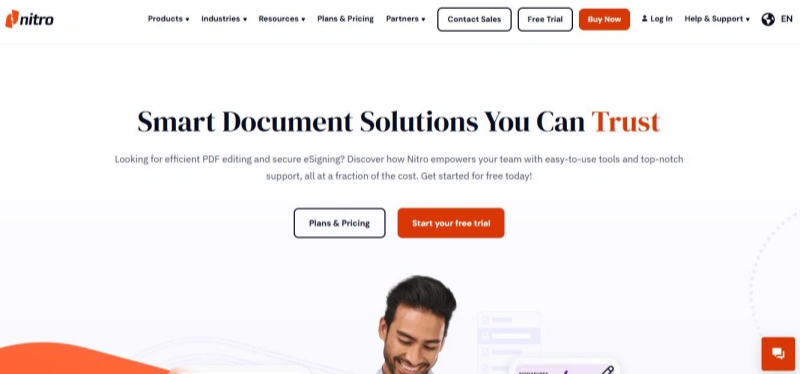
- Visit gonitro.com and click on the “Try for Free” button on the homepage.
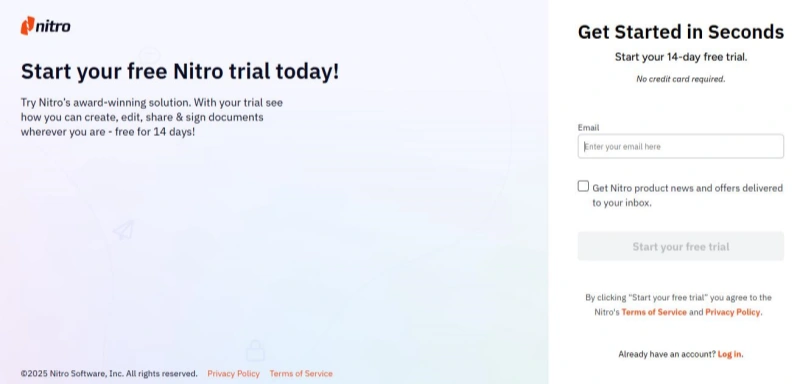
- Enter your email address in the form and click “Start Your Free Trial".
- Check your inbox for a verification email from Team Nitro. Click the link to confirm your email.
- After verifying, create your Nitro account by setting a password and clicking “Confirm".
- You now have access to a full-featured 14-day trial of Nitro, including:
- Nitro PDF Pro (Windows, Mac, iOS)
- Nitro Sign Standard
- Nitro Workspace tools
- Download and install the apps on your device. Log in with your new account to activate the trial no serial key is needed.
Now that you’ve explored the trial and learned about Nitro Pro’s features, it’s time to understand how to activate Nitro PDF Pro and enjoy its full potential. In this section, we’ll guide you through each activation method step by step using your Nitro Pro license activation key free (if available) or account login.
How to Activate Nitro PDF Pro with a Subscription
- Check Your Email
After payment, you’ll receive your license number via email. Please check your inbox and also your spam/junk folder if you don’t see it.
- Download and Install Nitro PDF Pro 14
If you haven’t installed it yet, download Nitro from the official website.
- Start Activation
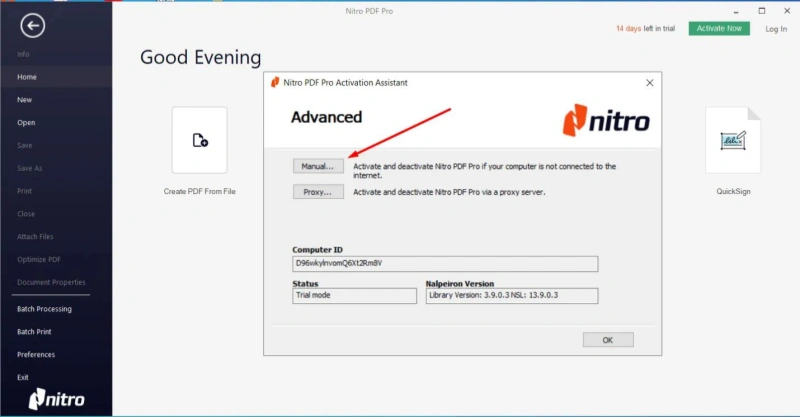
Open Nitro and click on Activate Now or choose Advanced/Manual activation from the menu.
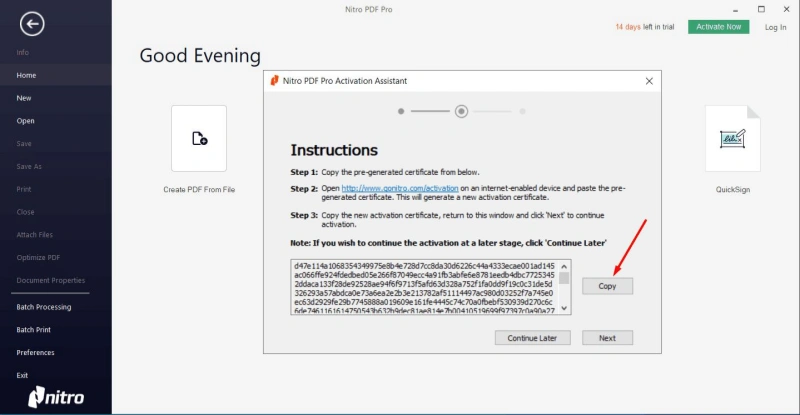
- Enter Your License Number
Paste the license number you received into the box and click Next.
- Copy and Send Activation Code
Now you’ll see a code on the screen. Click Copy, then email this code to keysales@livezentech.com.
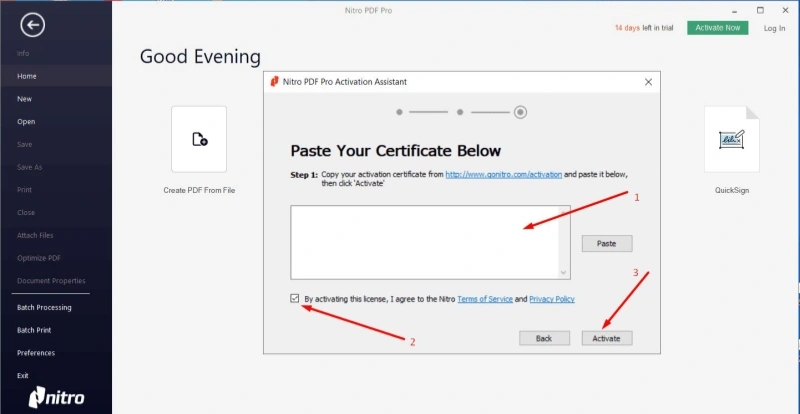
Keep Activation Window Open
Do not close the activation window while waiting for a reply. Once you receive the certificate code from us, paste it into the required field. Tick the checkbox and click Activate.